


Preference Manager: Addon
4.211.00 Reviews
App Specs
- Version
- 1.4
- Updated On
- License
- Free
- Downloads
- 100,000+
- Developer
- Trilokia Inc.
- Categories
- Libraries & Demo
- Platform
- Android
Screenshots
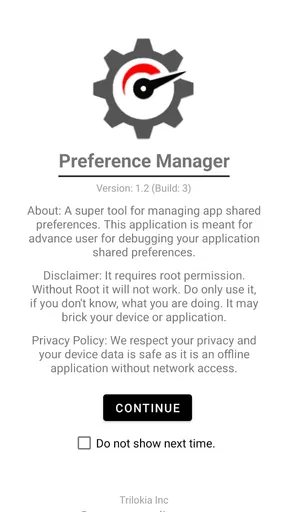
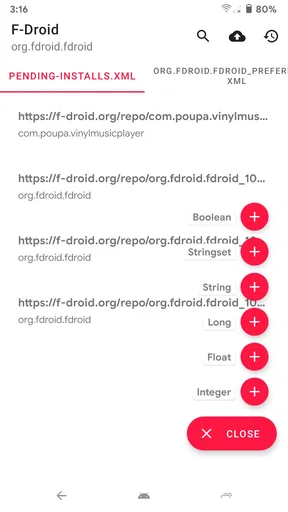
 Analysis by AppCompare
When I first came across Preference Manager: Addon, I expected a straightforward utility rather than an app I would use every day. That is the right way to approach it: it is a focused tool for people who want to work with app preferences, not a general phone-cleanup or device-management suite. It sits in the libraries and demo area, is made by Trilokia Inc., and is free to install. Its purpose is most relevant when you already know why you need to inspect or manage preferences; if you are simply looking for a way to change ordinary settings inside your apps, their own settings screens are usually the simpler starting point.
Getting started with Preference Manager: Addon
The first useful step is to decide what you want to accomplish before opening a preference tool. Are you investigating how an app keeps a choice, trying to understand a configuration, or working through a development task? Having a specific goal makes it easier to judge whether the app is useful and helps prevent aimless changes. I would treat preferences as configuration, not as a collection of harmless switches: a value can affect how an app behaves, and changing one without knowing its role can create a confusing result.
What to expect from a preference tool
The name points to a narrow job: managing shared preferences associated with apps. That makes this a different kind of utility from a launcher, file browser, or settings hub. Those familiar tools organize what a typical phone owner can already see and adjust. A preference manager is more relevant when you need to work with app configuration itself, so the payoff depends on your familiarity with that idea. If the phrase “shared preferences” is new to you, start by reading the app’s on-screen labels carefully and use it to explore rather than to make several changes at once.
That distinction also sets expectations for the experience. The app is not a replacement for an app’s normal settings page, and it is not automatically the best route for every preference. For everyday choices such as notifications or display options, the original app usually explains the setting in context. Preference Manager is more compelling when you have a concrete reason to examine or manage preferences beyond those ordinary controls. I see that specialization as both its strength and its main limit.
A careful first setup
Preference Manager is rated for Everyone and supports Android 5.0 and later. It has a 4.2 average from around 860 ratings, and more than 100,000 installs. The current release is version 1.4, following its release on September 18, 2020. Those details give a new user a sense of the app’s footprint, but they do not tell you whether it fits your particular task. I would begin with the simplest test that can answer that question, rather than assuming that every app or every preference will be equally useful to manage.
For a first session, pick one app whose configuration you already understand and use that as your reference point. Before changing anything, note the behavior you are trying to explain and, if practical, the value or state you see. Then make one deliberate adjustment only if you know what it is meant to do. This one-change-at-a-time approach is not glamorous, but it makes cause and effect easier to recognize. If the result is unexpected, you can retrace that single action instead of trying to remember a series of edits.
Your first meaningful result
A realistic first success might be checking a preference while troubleshooting why an app behaves differently from what you expect. Rather than altering several entries in pursuit of a quick fix, use the manager to focus your attention on the app configuration you are investigating. Compare what you find with the behavior you can observe in the app itself. The useful outcome may simply be learning that a preference is not the explanation; that is still progress, because it narrows the search without turning the rest of the configuration into guesswork.
Worth Reading Before You Choose

EA SPORTS FC Mobile 26 Is a Bigger Football Game, but It Takes Time

Flipboard Shows What News Apps Must Do Beyond the Feed

Switching to Android Auto Means Rethinking Your Driving Routine

Google Calendar Makes a Crowded Week Easier to Manage

Ludo King Makes the Most of the Minutes Between Plans

Baby Panda World Brings Quick Play to Modern Phones, but Its Game Library Feels Busy
For a developer or technically curious user, a more deliberate workflow is to keep a short note of the app, the issue, and the one setting under investigation. After making a change, return to the app and check only the behavior relevant to that setting. This keeps the task small and makes it easier to distinguish a genuine effect from coincidence. I would not treat a preference manager as a magic repair button: it can help you examine configuration, but it cannot tell you what a value means in every app or guarantee that changing it will solve a problem.
Common confusion and sensible limits
The main source of friction is the gap between “I can see a preference” and “I know what this preference does.” Those are not the same thing. A field may look self-explanatory while still having consequences that are unclear without context. When that happens, resist the urge to change it just to see what happens. Check the app’s normal settings first, and use the manager only when you have a reason to investigate beyond them. If your goal is simply to make a familiar feature work, the app’s own help or settings may be a safer and more direct route.
It is also worth separating preference management from backup expectations. A tool for managing preferences should not automatically be treated as a complete device migration plan or as a guarantee that settings can be transferred between phones. Before relying on any utility for a move or recovery, establish exactly what it can do in your intended situation and keep another record of important configuration where appropriate. This matters especially if a setting is hard to reproduce: an experiment is not a substitute for a dependable recovery plan.
Compared with ordinary settings menus, Preference Manager is the more specialized option, not necessarily the more convenient one. A settings page explains choices in the language of the app and usually makes the intended effect easier to understand. A file manager or general utility may be more suitable for unrelated device tasks. I would choose this app when the task specifically concerns shared preferences; for routine personalization, I would stay with the app’s own controls. That division makes the tool easier to use responsibly and helps avoid expecting it to solve problems outside its purpose.
Who is likely to benefit
I can see this being useful to people who develop or test apps, troubleshoot configuration, or enjoy understanding how applications store choices. It can also suit a confident Android user who has a defined reason to inspect preferences and is willing to make changes cautiously. It is less suitable for someone who expects a one-tap performance boost, broad phone cleanup, or a simple way to modify every app’s ordinary options. The more uncertain you are about the setting you are touching, the more valuable it is to pause and use a familiar, in-app control instead.
One practical trade-off is that a specialist tool can save time only after you know what you are looking for. For a quick change, opening the app’s settings may take less effort than learning a separate workflow. For repeated investigations, by contrast, having a dedicated place to work with preferences can make the task feel more focused. I would judge its value by the frequency and specificity of your need, not by how many apps you hope it will affect.
Taking the next step
Once you have completed a small, understandable task, expand slowly: choose a second case with a clear purpose, keep changes isolated, and verify the result in the app whose behavior matters. If you cannot explain what a preference is for, leave it alone until you have better context. That habit is more useful than trying to explore every available option at once, and it makes the first session less intimidating for anyone new to this kind of utility.
My overall view is that Preference Manager: Addon makes the most sense as a focused instrument, not an essential app for every phone owner. Its free price lowers the barrier to trying it, while its specific purpose rewards users who arrive with a real question. If that describes you, approach it patiently and use it for one controlled task at a time. If you only want to change standard app behavior, start with the app’s own settings and skip the extra layer.
Features That Stand Out
One of the standout features of this app is its ability to consolidate all your app preferences in one place. Imagine not having to dig through each app individually to tweak settings. With Preference Manager: Addon, you get a bird’s eye view of everything. This is particularly handy if you’re someone like me who loves to customize every little detail.
Another cool feature is the backup and restore functionality. I’ve lost count of how many times I’ve switched devices and lost my painstakingly configured app settings. With this app, you can back up your preferences and restore them with a single tap. It’s like having a safety net for all your preferences.
User Experience and Interface
The user experience is top-notch. I found the navigation to be smooth and the app didn’t lag, even once. It’s evident that the developers paid attention to detail, ensuring that every click leads you exactly where you want to go. The color scheme is easy on the eyes, and I appreciated the little touches like tooltips and helpful prompts.
I also loved the customization options. Whether you want to change the theme, adjust font sizes, or rearrange the layout, the app gives you the freedom to personalize it to your heart’s content. It’s like having a personal assistant that adapts to your style.
Why You Might Love It
If you’re a tech enthusiast or just someone who loves having control over their device, Preference Manager: Addon is a game-changer. It saves time, reduces hassle, and gives you a newfound level of control. Plus, it’s constantly being updated with new features and improvements, so you know the developers are committed to making it the best it can be.
But it’s not just for the tech-savvy. Even if you’re a casual user, you’ll appreciate the convenience it brings. It’s like having a magic wand that organizes your digital life, making everything just a little bit easier.
Final Thoughts
In conclusion, Preference Manager: Addon is more than just a utility app; it’s a must-have tool for anyone looking to streamline their device management. Whether you’re a customization guru or someone who just wants a smooth, hassle-free experience, this app delivers on all fronts. So, go ahead and give it a try. You might just find it’s the app you never knew you needed, but now can’t live without.
Ready to take control of your app preferences? Download the app today and let it transform the way you manage your device!
Pros
- User-friendly interface for easy navigation.
- Quick setup with minimal configuration needed.
- Supports various file formats for imports.
- Customizable themes to suit user preferences.
- Lightweight app with minimal battery usage.
Cons
- Limited support for advanced features.
- Occasional lag on older devices.
- Ads can be intrusive in free version.
- No offline mode for data sync.
- Limited customer support options.
FAQs for Preference Manager: Addon
What is Preference Manager: Addon used for?
Preference Manager: Addon is a utility app designed to help users customize and manage app preferences on their Android devices. It allows users to modify, backup, and restore preference files, providing enhanced control over app settings and configurations. This can be particularly useful for users who want to tweak app behavior without rooting their devices.
Is Preference Manager: Addon safe to use?
Yes, Preference Manager: Addon is generally safe to use. It does not require root access, minimizing potential risks to your device's system. However, users should be cautious and ensure they understand what changes they are making, as incorrect modifications could affect app performance. Always back up preferences before making changes.
Does Preference Manager: Addon require a rooted device?
No, Preference Manager: Addon does not require a rooted device to function. This makes it accessible to a wider range of users who want to adjust app settings without going through the complex process of rooting. It offers a user-friendly interface that simplifies the management of app preferences.
Can Preference Manager: Addon affect app performance?
Preference Manager: Addon can affect app performance depending on the changes made to app preferences. While the app itself is designed to be non-intrusive, users should be cautious when altering settings, as incorrect configurations could lead to unexpected behavior or crashes. Always ensure your changes are well-informed and back up data regularly.
How do I back up preferences with Preference Manager: Addon?
Backing up preferences with Preference Manager: Addon is straightforward. After launching the app, navigate to the preferences you want to back up and select the backup option. The app allows you to save these settings securely, ensuring you can restore them if needed. Regular backups are recommended to prevent data loss during modifications.


